
Mobile Controls for Animal Ragdoll
Thumb-friendly habits so farm chaos still aims where you intend.
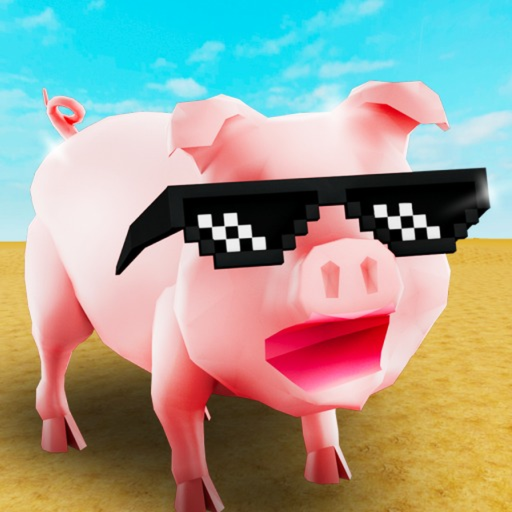
This Mobile Controls guide helps Animal Ragdoll players on phones and tablets steer Ragdoll Animals by Takawakalaka without feeding every fling into a random barn wall. Roblox touch UI plus ragdoll recovery is a different skill from keyboard play. Use this page with the main controls article and the Controls Hub.
Why mobile deserves its own page
Servers hold about 20 players. On mobile, your thumbs share space with jump, tool fire, camera, and menu buttons. Fat-finger cancels ruin quests and crates hand-ins, and accidental Robux confirms make Flash Deal scary. Clean mobile habits protect XP toward level 40 (leveling and XP) and keep comedy intentional.
Core touch layout mindset
- Left stick — movement; favor short pushes over full-tilt slides until recoveries are stable
- Right region / camera drag — keep the torso framed during ragdoll states
- Jump / interact — single taps; double taps close quest dialogs
- Tool buttons — equip before you need them mid-air
- Menu icons — open quests, inventory, shop, and settings only on flat ground
Exact icon art can shift with Roblox updates; the habits stay stable.
First five minutes on a phone
- Lower graphics if explosions stutter (how to play comfort notes)
- Walk a safe lane without tools
- Practice one jump and one full ragdoll recovery
- Open the quest log once, close it deliberately
- Only then equip a mobility tool from tools and unlocks
Skipping straight to explosives on a small screen is how sessions become tilt montages.
Quest and UI hygiene
Stand still before tapping NPC prompts. Unequip auto-fire tools when dialog appears. If the UI scale covers a button, use Roblox settings or landscape orientation. Hand-in success matters more than one extra fling when you are climbing the cap.
Flash Deal and purchase safety
Open Flash Deal in landscape when possible. Read the full offer text before any Robux confirm. If a thumb is hovering near confirm while the device is moving, close the shop and reopen later. Wishlist rules from the Flash Deal guide still apply.
Codes on mobile
When codes exist, long-press paste beats typing. As of November 2026 no strings are confirmed live on the Codes Hub, but knowing how to redeem on touch UI saves the minute a milestone drop appears.
Camera and motion comfort
Ragdoll cameras shake. Reduce motion effects if you feel off, take breaks, and prefer readable forms (pig or sheep) from the animals tier list while learning. Cow mass comedy is harder to stabilize on a phone — unlock it after recoveries feel natural (animal transformations).
Tool tips unique to touch
- Grapple: Aim with a short camera drag, then tap fire once; avoid spray tapping
- Blaster: Plant feet, nudge camera, single shots for prop bowling
- Explosives: Step into open space first; confirm you are not aiming at a questor
Score priorities with the tools tier list so hotbar clutter stays low on a small display.
Multiplayer on mobile data
Unstable networks exaggerate ragdoll rubber-banding. Play quests on Wi-Fi when you can, and save pure chaos for moments when latency is acceptable. Text chat callouts stay short: “hand-in,” “blast 3,” “roof.” Voice chat is not a reliable feature on this place’s common settings.
Common mobile mistakes
- Holding sprint-equivalent tilt while reading UI
- Confirming shop prompts during a bounce
- Stacking three tools on the hotbar you cannot see
- Chasing scripts because touch aim feels hard — read Scripts Hub and safety instead
- Ignoring patch notes that fix bouncing (Updates Hub, level 40 summary)
Practice drill (10 minutes)
- Safe-lane walk (2 min)
- Three intentional recoveries (3 min)
- One grapple to a roof and down (2 min)
- One quest interact without cancel (2 min)
- One planned soft fling finale (1 min)
Repeat the drill after any major control-feel patch.
Cross-links for mobile mains
- Device tables → Controls
- Beginner loop → Getting Started
- Chaos habits → Tips and Chaos
- Official place → Links Hub and Roblox place 121571737300302
Mobile Animal Ragdoll is fully real play, not a lesser mode. Soft thumbs, deliberate taps, and flat-ground UI time turn the farm’s nonsense into clips you meant to create.
Frequently Asked Questions
Quick answers to the most common Animal Ragdoll questions.
Can I reach level 40 entirely on mobile?
Yes. XP, quests, crates, and unlocks work on touch. Take extra care with UI confirms and recovery practice.
Why do I keep closing quest dialogs?
Usually jump/interact double taps or a tool button overlap. Stand still, unequip noisy tools, tap once.
Is landscape mode required?
Not required, but landscape often helps shop and quest readability on phones.
Where do I learn PC differences?
Use the main Controls guide for cross-platform tables, then return here for thumb-specific habits.